DIT Diploma Kids Course introduction
Basic Computer Skills for Kids
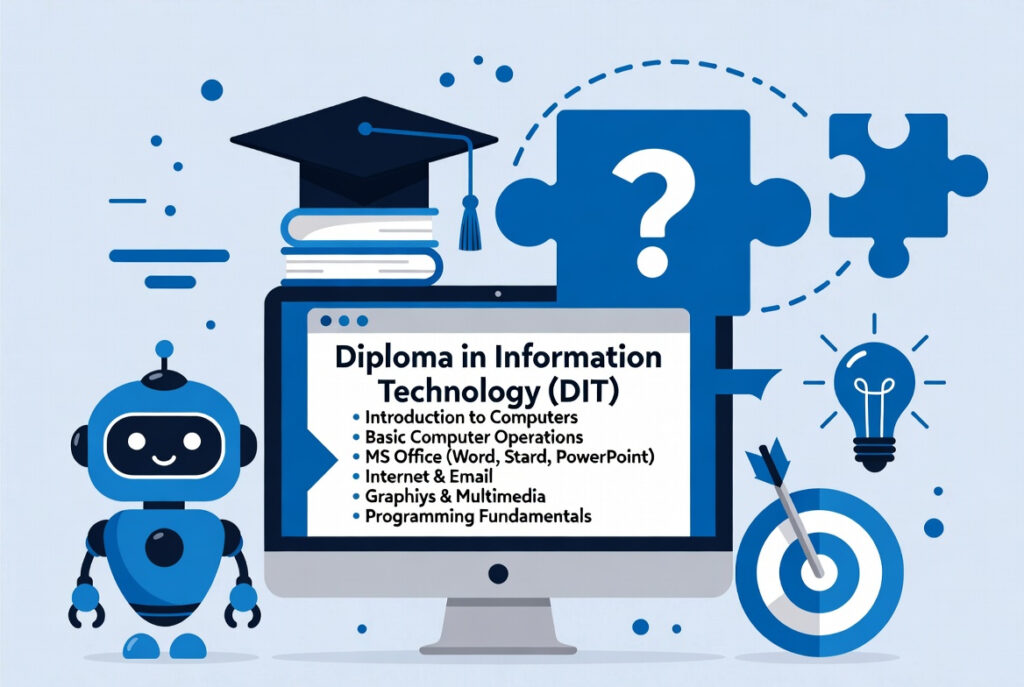
First, DIT Diploma teaches basic computer knowledge. Kids learn how to use a computer confidently. They practice typing, files, and simple tools. Moreover, learning becomes fun and easy. So, kids build strong digital skills early.
Learning Office and Creative Tools
Next, kids learn MS Word, Excel, and PowerPoint. They create documents, tables, and presentations. Also, kids explore basic graphic designing tools. For example, they learn simple Canva designs. Thus, creativity and computer skills grow together.
Digital Skills and Future Opportunities
Finally, this course builds future-ready skills. Kids understand internet safety and smart usage. Additionally, they get a basic idea of freelancing. Small tasks can earn online in future. Hence, DIT helps kids choose advanced IT courses.
Why Learn DIT Diploma (Kids Course)?
Early Digital Skill Development
First, kids learn computers at an early age. So, they become confident with technology. They understand basics faster than others. Moreover, digital skills help in school work. Therefore, learning early gives strong advantage.
Creativity and Smart Learning
Next, DIT improves creative thinking. Kids design, type, and make presentations. Also, learning feels fun and interactive. As a result, interest in technology increases. Thus, kids learn while enjoying the process.
Future and Freelancing Awareness
Finally, DIT opens future learning paths. Kids get a small idea of online work. Simple freelancing concepts are introduced. Later, they can earn with skills. Hence, this course builds smart future minds.
How to Learn DIT Diploma (Kids Course)?
Start with Basic Computer Knowledge
First, kids learn parts of computer. They practice mouse and keyboard usage. Then, they learn simple software tools. So, confidence builds step by step. Thus, basics become strong.
Practice Office and Design Tools
Next, kids practice MS Word and PowerPoint. They create homework and small projects. Also, they learn Canva for simple designs. This course relates to basic graphic design. As a result, creativity improves daily.
Learn Internet and Smart Usage
Finally, kids learn safe internet use. They understand email and online tools. Basic freelancing ideas are explained simply. Practice helps them learn faster. Hence, learning becomes useful and practical.